
Razer Huntsman V3 Pro TKL Review: Pure Speed
Razer Huntsman V3 Pro TKL Review. An analog optical esports weapon designed to make you blame your teammates. Loud, fast, and aggressively expensive.
This page contains affiliate links. If you buy through them, Pretentious Reviews may earn a commission.
The Verdict
The Good
- 0.58ms latency for the reaction-time delusional
- Foam and lube finally fixed the "tin can" acoustics
- Onboard LED display lets you bypass the Synapse nightmare
The Bad
- 8000Hz polling is a spreadsheet benefit for your vanity
- Typing experience is "hateful" unless you're a robot
- Synapse 4 still crashes when Mercury is in retrograde
The Blame Game
Let’s talk about what really brought you here: you’re looking for something to blame.
You’ve already upgraded your monitor to 360Hz. You’ve bought a mouse so light it practically levitates. Your mousepad is the size of a yoga mat. Yet somehow, you’re still getting teabagged by twelve-year-olds in Valorant. Clearly, the problem must be your keyboard.
Enter Razer with the Huntsman V3 Pro TKL 8KHz, the “zero excuses” keyboard. That’s actually what they’re calling it. Not “high performance” or “esports-grade”—zero excuses. They’re selling you absolution. They’re selling you the final piece of gear you need before you’re forced to admit that maybe, just maybe, you’re not as good as you think you are.
The marketing pitch is simple: at 0.58ms latency and 8000Hz polling, this keyboard communicates with your PC faster than your brain can communicate with your fingers. The bottleneck is officially you. Congratulations.
Design & Build: The Brick with the Bling
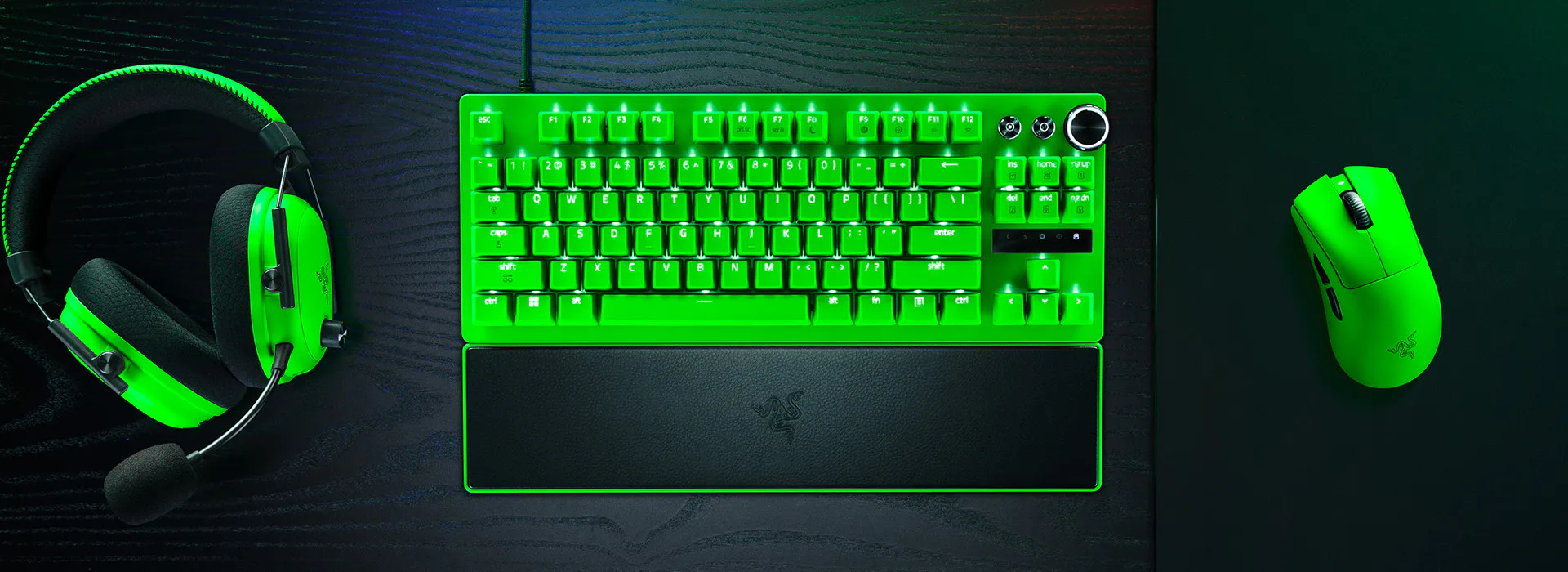
Physically, the Huntsman V3 Pro TKL 8KHz is a handsome chunk of metal. The brushed aluminum top plate sits there looking vaguely menacing, like a very expensive paperweight that happens to have RGB lighting.
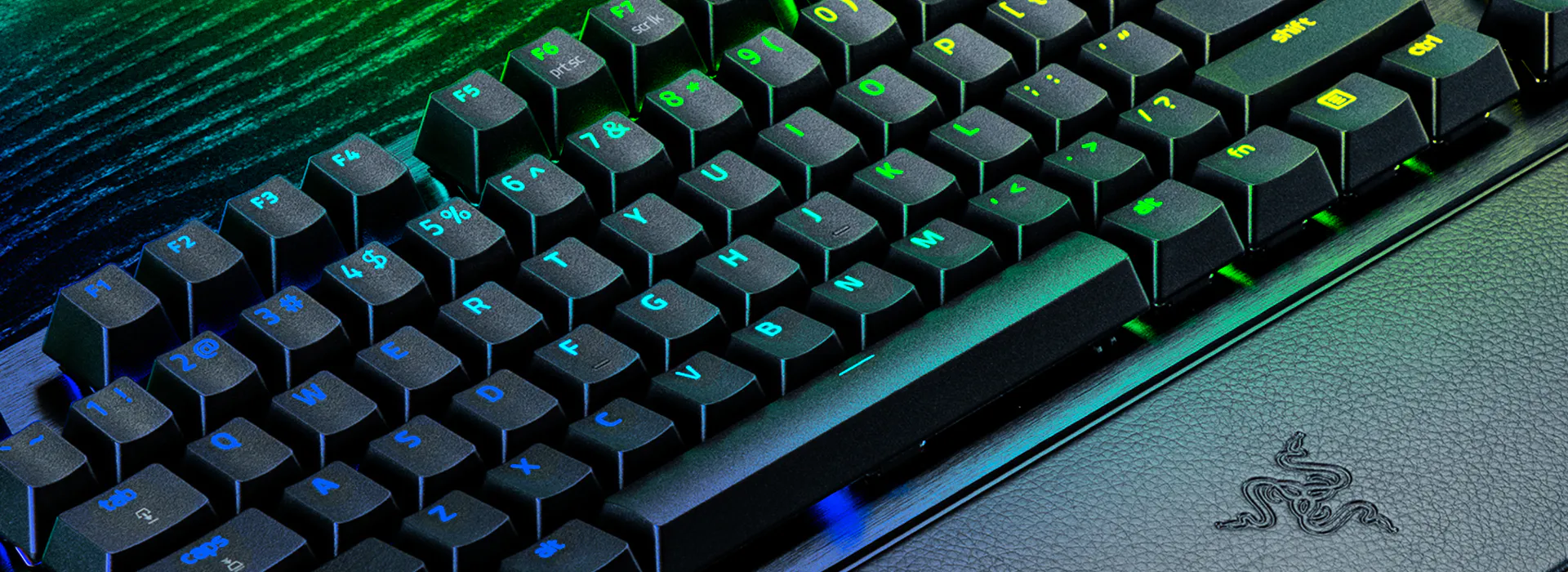
At 720 grams without the wrist rest, it’s light enough to throw in a backpack for LAN parties (if those still exist) but heavy enough to not slide around when you’re rage-mashing your spacebar. There’s zero flex when you twist it—a refreshing change from the plastic toys that pass for “gaming peripherals” these days.
The keycaps are textured doubleshot PBT, which means two things: they won’t shine up from your greasy gamer fingers, and they feel weirdly grippy, like typing on fine-grit sandpaper. Some people love this. Others find it vaguely unsettling. I’m in the second camp, but I’ll admit they’re objectively well-made.
The RGB is… present. Per-key Razer Chroma lighting does what you expect it to do. If you’ve never seen a keyboard glow, this will blow your mind. If you’ve owned literally any gaming keyboard in the last decade, you’ll spend ten minutes making it one solid color and never touch the settings again.
Sound & Acoustics: The Clack That Grew Up
Here’s where the 8KHz model earns its keep: the sound.
The original Huntsman V3 Pro sounded like a hollow tin can getting kicked down a stairwell. Reddit complained. Forums complained. Even the fanboys had to admit it was embarrassing. So Razer did something shocking—they actually listened.
The 8KHz version adds foam dampening inside the chassis and strategic lubrication on the switches. The result? The clacky, hollow nightmare is replaced with something almost pleasant. It’s muted. It’s soft. It thuds more than it clacks. Is it going to win any sound tests against a custom-built keyboard with hand-lubed switches? Absolutely not. But it no longer sounds like you’re angry-typing on a cookie sheet, and that’s progress.
There’s still a hint of high-pitched ringing if you really bottom out the keys hard, but it’s nothing that will have your roommates planning your murder. The 8KHz polling rate is marketing fluff—you can’t perceive the difference between 4000Hz and 8000Hz—but the foam and lube? That’s the real upgrade. Razer just buried it under a spec that sounds cooler.
Synapse Software: The Software That Hates You
Razer Synapse 4. Four. As in, they’ve tried this four times now and still haven’t figured it out.
To be fair, it’s better than it used to be. The interface is cleaner, split into Customize, Actuation, and Lighting tabs. You can set per-key actuation points, configure Rapid Trigger sensitivity, and create up to six profiles stored directly on the keyboard. So far, so good.
The problem? Synapse crashes. It crashes when you switch profiles. It crashes when you alt-tab too aggressively. It crashes when Mercury is in retrograde. Razer’s own community forums are full of users reporting keyboards that disconnect and reconnect randomly, profiles that won’t stick, and support agents who reply like chatbots trained exclusively on the phrase “have you tried reinstalling?”
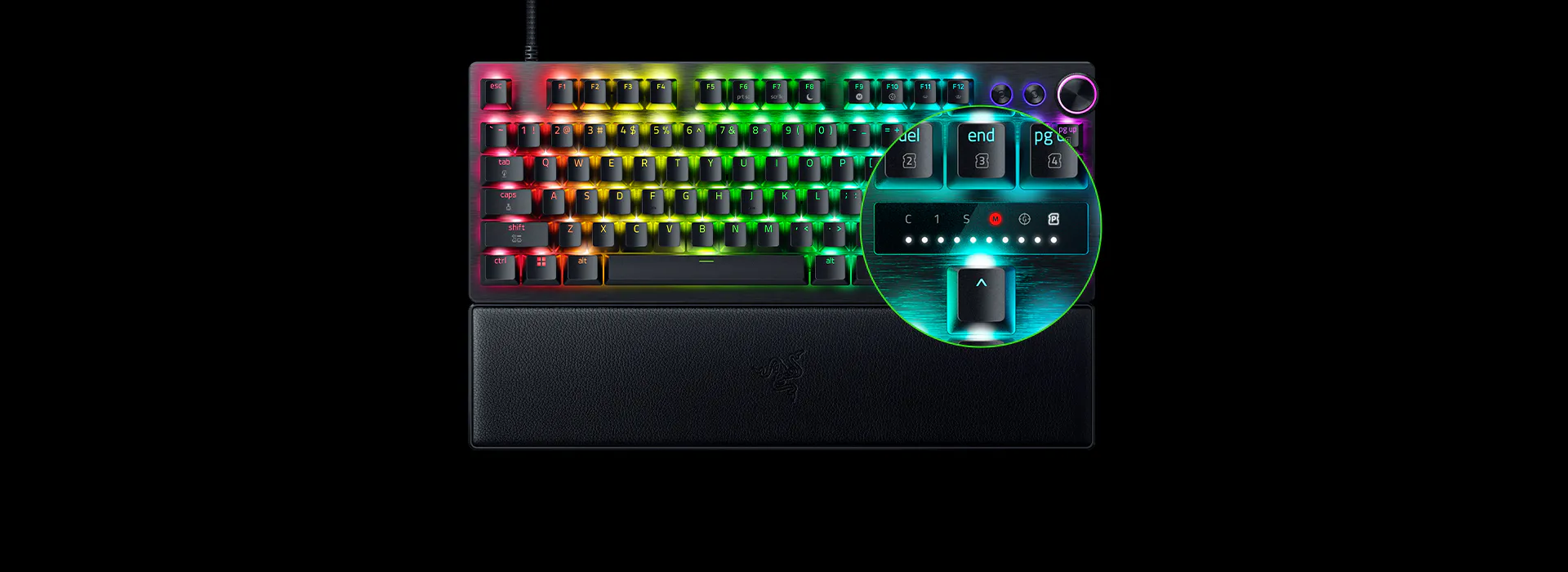
The silver lining: you don’t actually need Synapse running for basic functions. The keyboard’s onboard memory stores your profiles, and you can adjust actuation settings on the fly using FN+Tab and FN+Caps Lock. The LED display above the arrow keys shows you what you’re doing in real-time. It’s a clever workaround for a problem Razer created.
Pro tip: configure everything once, save it to the board, close Synapse, and pretend it doesn’t exist. Your blood pressure will thank you.
Want better software? The Wooting 80HE uses browser-based Wootility that makes Synapse look like a war crime. Read our full review for the trade-offs.
Read ReviewRapid Trigger & Settings: The Learning Curve from Hell
Rapid Trigger is genuinely useful. Snap Tap is genuinely useful. Adjustable actuation is genuinely useful.
Learning to use all of them without accidentally throwing your next ranked match? That takes time you probably don’t have.
The default actuation on these switches is featherweight—40g force and as low as 0.1mm actuation point if you’re feeling suicidal. Set it that low and you’ll register keypresses by breathing on the keyboard. Your messages will look like “heyyy wassss uppppp” and your movement will be a chaotic mess of accidental crouches and reloads.
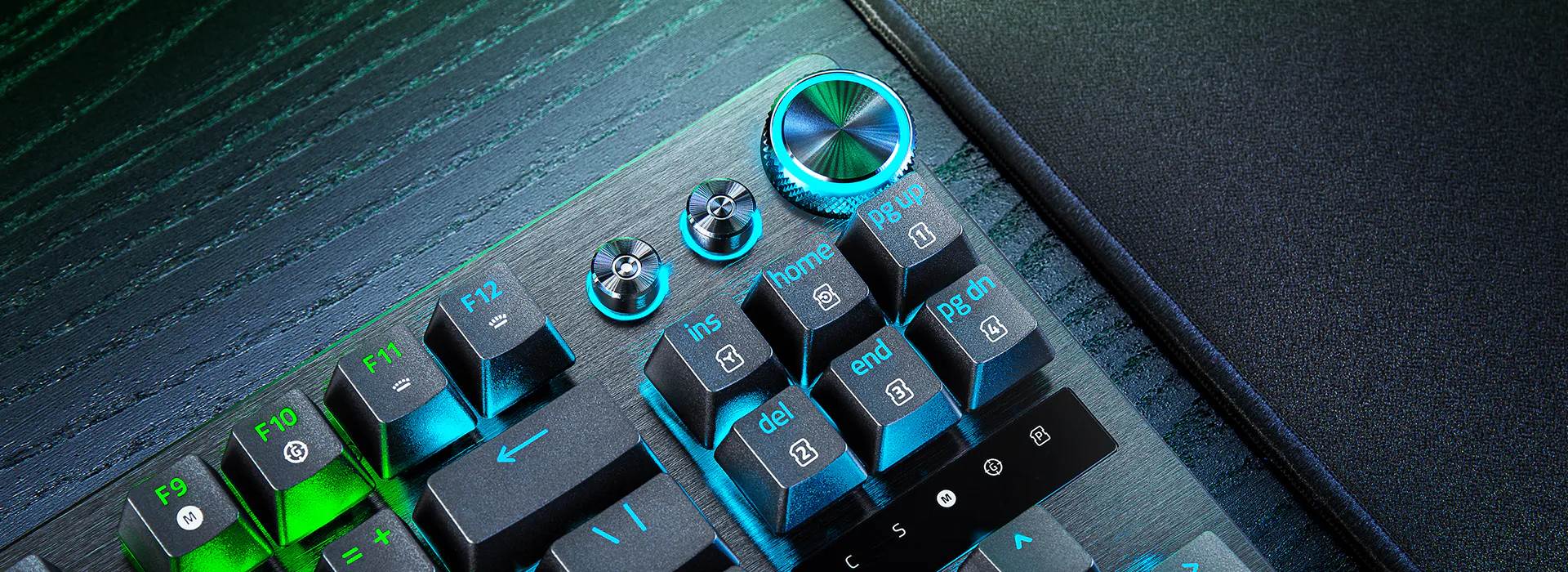
The trick is dialing in different actuation points for different keys. Set your WASD to hair-trigger 0.5mm for instant movement, but crank your ability keys up to 2.0mm+ so you don’t accidentally pop your ultimate when you meant to crouch. The LED display helps—you can see exactly how deep you’re pressing in real-time—but it’s still trial and error until you find what works.
And then you’ll play at a friend’s house on their normal keyboard and realize your muscle memory is now completely useless outside of your specific setup. Congratulations, you’ve become dependent on a $220 peripheral. That’s called winning.
Gaming & Typing Performance: The Daily Drive
For gaming, this thing is a revelation.
Corner peeking in Valorant? You can tap-strafe with surgical precision. Counter-strafing in CS2? Snap Tap ensures you’re never pressing both directions at once—your latest input always wins. Rapid Trigger means the key resets the instant you lift your finger, eliminating the traditional reset point that slows down keypresses on normal keyboards.
Does it make you better? If you’re already good, yes. If you’re Silver, it makes you a faster Silver. The hardware isn’t the problem. It was never the problem. But at least now you know.
For typing? It’s… divisive.
Some reviewers claim they got faster and more accurate after adjusting the actuation points. Others, including a significant chunk of Reddit, describe typing on the Huntsman as “hateful” and recommend keeping a separate keyboard for work. The switches are light and sensitive, which is great for gaming and terrible for writing a thousand-word email without a hundred typos.
I found myself somewhere in the middle. It’s not the worst typing experience—the lubed switches are smooth, the keycaps are nice—but it’s not the best either. If you primarily type and occasionally game, spend your money elsewhere. If you primarily game and occasionally type, you’ll survive.
The Material Truth
Build quality is where Razer actually delivers.
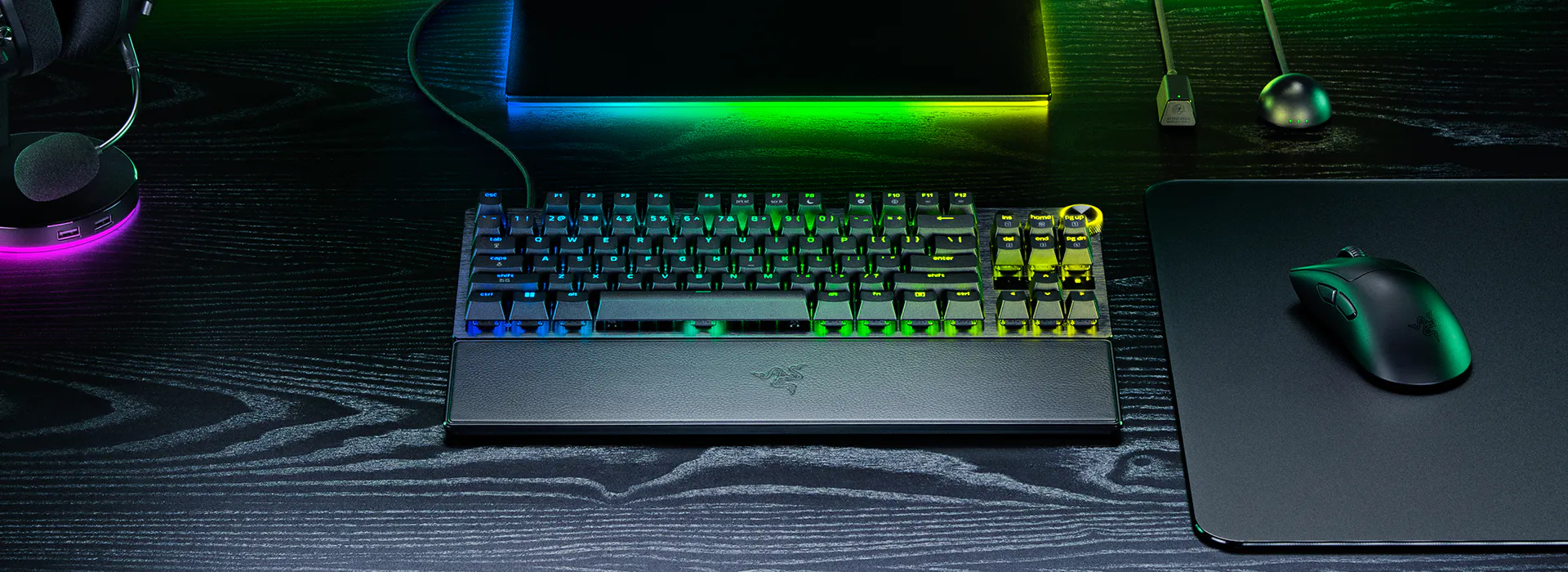
The aluminum top plate is sturdy enough to survive tournament transport. The plastic bottom case is… plastic, but it’s well-finished and doesn’t feel cheap. The magnetic wrist rest attaches securely and provides firm support, though multiple reviewers note it’s a bit too firm for marathon sessions. Think “ergonomic block” more than “cushy pillow.”
No hot-swap capability, which will annoy the keyboard enthusiasts who want to swap switches. No keycap puller in the box, which is a petty omission for a $220 product. The USB-C cable is braided and detachable, which is standard at this price.
The switches are rated for 100 million keystrokes, which means this keyboard will outlive your interest in gaming by approximately 97 million keystrokes.
> Specs
- Switch Type Razer Analog Optical Gen-2 (Lubricated)
- Polling Rate 8000 Hz (adjustable)
- Latency 0.58ms (actuation to USB)
- Actuation Range 0.1mm – 4.0mm
- Actuation Force 40g
- Dimensions 445 x 139 x 39mm
- Weight 720g (without wrist rest)
- Onboard Profiles 6
- Keycaps Doubleshot PBT
- Switch Lifespan 100 million keystrokes
- Connectivity Wired USB-C
The Digital Streets Have Opinions
The community consensus is surprisingly coherent: this keyboard is excellent for its intended purpose and wildly unnecessary for everyone else.
Reddit’s r/razer and r/MechanicalKeyboards remain characteristically divided. Users praise the competitive gaming performance and aluminum build, consistently calling the V3 Pro “Razer’s best optical keyboard.” But typing experience sparks heated debate—multiple users openly admit they “hated typing on the Huntsman” while acknowledging its gaming prowess. The absence of hot-swap is a recurring complaint.
Razer’s own forums reveal the software situation is worse than the press reviews suggest. Users document Synapse 4 crashes causing keyboard disconnections, profile-switching failures, and support responses that read like AI-generated placeholder text. The workaround everyone recommends: configure via Synapse, save to onboard memory, never launch Synapse again.
Overclockers UK enthusiasts note improved build quality versus older Razer products—“The last time I picked up anything Razer, it felt like a toy. This surprised me.” The Wooting comparison dominates discussion, with the Huntsman winning on durability but losing on software and hot-swap capability.
VALORANT Discord debates the raw numbers: “Razer = faster, Wooting = control + precision.” But the universal acknowledgment is that most humans can’t perceive the difference. Budget alternatives like the Keychron K2 HE and Lemokey P1 HE get mentioned for offering nearly identical performance at half the price.
ProSettings.net confirms professional adoption—the Huntsman V3 Pro was at one point the most-used keyboard on their tracking site. The 8KHz version specifically addressed community complaints about hollow sound. The verdict for competitive players: “best-in-class gaming keyboard” but “very mediocre typing keyboard.”
The emerging consensus: the Huntsman V3 Pro TKL 8KHz is the right keyboard for the right person—and most people aren’t that person.
The Uncomfortable Truth
Here’s the reality check Razer won’t put in the marketing materials:
The 8000Hz polling rate provides benefits that exist exclusively in spreadsheets. Your monitor probably can’t display them. Your brain definitely can’t process them. The actual upgrade in the 8KHz model—the foam and lube that fixed the sound—could have been marketed honestly. Instead, they buried it under a spec that sounds impressive but delivers nothing perceptible.
The Wooting 80HE costs $20 less, offers hot-swap switches, and has software that doesn’t feel like punishment. The Lemokey P1 HE costs $50 less and types noticeably better. The Keychron K2 HE costs literally half as much and gives you 95% of the performance.
But if you want the absolute fastest keyboard on paper, if you want the aluminum build that laughs at flexing, if you want onboard controls for tournament settings where software isn’t allowed, and if you’re actually competing at a level where milliseconds matter—this is the keyboard.
For everyone else, it’s a very expensive way to learn that the problem was never your gear.
The fastest keyboard money can buy—if you’re fast enough to notice.
Continue Your Judgment

Wooting 80HE Review: The New Standard
Wooting 80HE Review. The sequel to the keyboard that changed everything. Now with arrow keys and better acoustics. Is this the competitive endgame?
Apex Pro Gen 3 vs Wooting 80HE: The Showdown
Apex Pro Gen 3 vs Wooting 80HE: The mainstream champion vs the cult classic. One has an OLED screen, the other has software that actually works.

Hall Effect Keyboards vs Optical Keyboards
Hall Effect versus optical keyboards, explained without the marketing sludge. Here is which switch tech actually makes sense for gaming, tuning, and day-to-day use.

Razer Viper V3 Pro Review: 54g of Pure Overcompensation
The Razer Viper V3 Pro offers 8000Hz polling and 54g weight for a steep $160. Is it a competitive advantage or just expensive placebo?