
ASUS ROG Falcata Review: The $420 Mistake
ASUS ROG Falcata Review. A $420 split keyboard that costs more than a GPU. Technically brilliant, ergonomically flawed, and financially irresponsible.
This page contains affiliate links. If you buy through them, Pretentious Reviews may earn a commission.
The Verdict
The Good
- Biologically rigid enough to be a blunt weapon
- Split design for the ergonomically insecure
- HFX V2 switches are buttery-smooth redemption
The Bad
- $420 for a keyboard is a financial cry for help
- Proprietary split cable is a single point of failure
- Slippery wrist rests for the gravity-defying hands
The Ergonomic Absurdity
Professional FPS players will sometimes tilt their keyboards 45 degrees to maximize mouse space, contorting their left hands into ergonomic nightmares. It is a functional absurdity born of desk real estate scarcity. ASUS engineered the Falcata to solve this—a split 65% keyboard for the enthusiast who would rather spend $420 than simply rotate their current board. The ROG Falcata represents either engineering brilliance or the most expensive way to avoid a minor inconvenience. Perhaps both.
The Weaponized Peripheral
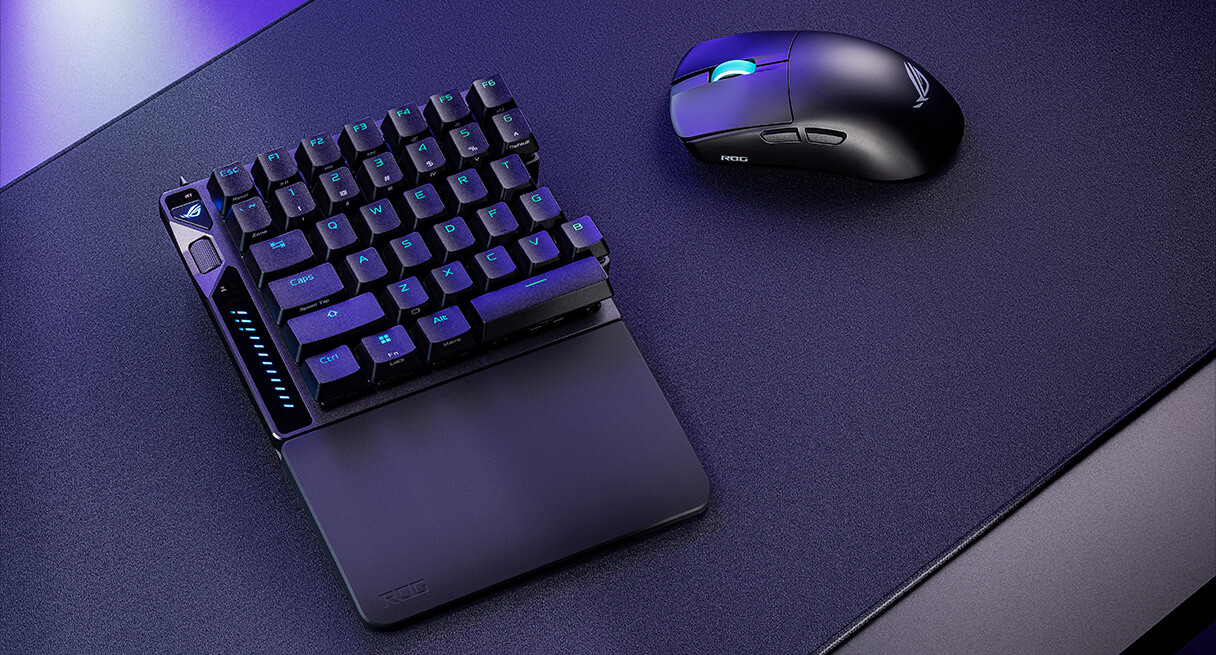
The package contents are exhaustive: two modules, three cables, eight detachable feet, mounting plates, and silicone dampeners. The build is dense (nearly 1kg assembled) and biologically rigid, thanks to POM plastic on the underside contributing to a deep, muted acoustic signature. It feels less like a peripheral and more like a weapon component.
The left “host module” contains the essentials and a multifunction wheel. The right “satellite” connects via a braided cable looping prominently above the chassis. There is no wireless communication between halves; ASUS cites latency, but in 2025, the visible tether feels archaic.
The Price of Hubris
The SteelSeries Apex Pro TKL Gen 3 delivers magnetic switches, adjustable actuation, and Rapid Trigger for $150-200. The Logitech G Pro X TKL Rapid offers similar credentials. The Wooting 80HE sits slightly higher, beloved for its analog functionality.
ASUS positions the Falcata at $420—more than double most competitors. This is the price of a Nintendo Switch 2 or a decent graphics card. In the US, Best Buy holds exclusive retail rights; international buyers can find it on Amazon UK. But the person shopping for a Falcata has already decided that spreadsheet logic does not apply to their peripheral purchases.
Want similar performance for half the price? The SteelSeries Apex Pro TKL Gen 3 offers Rapid Trigger and Hall Effect switches for $200 less, if you can live without the split layout.
Read ReviewThe Re-Education Camp
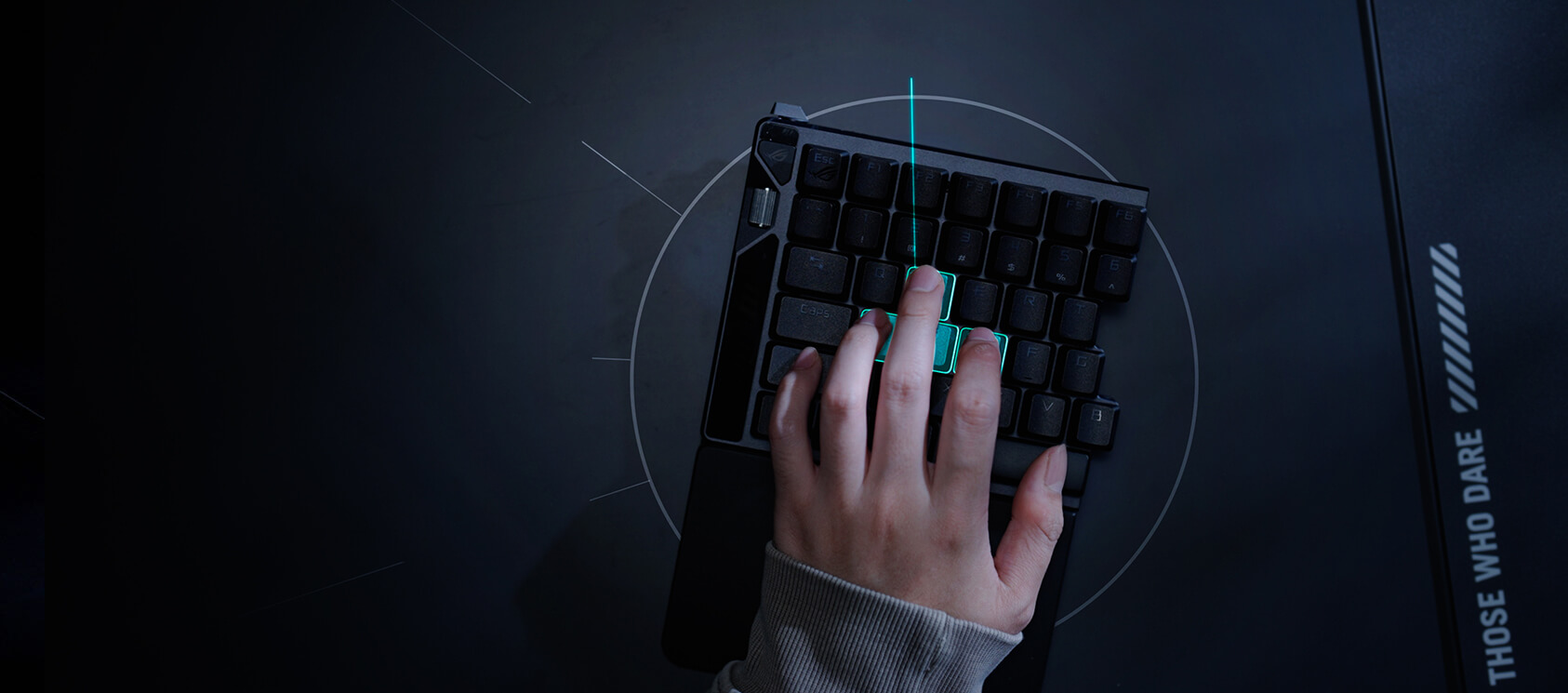
Adapting to the Falcata is punitive. The split layout enforces strict touch-typing discipline; reach for ‘Y’ with your left hand, and you strike air. The 75% cluster compounds this, crowding the right side with navigation keys that invite accidental presses. It requires you unlearn a decade of muscle memory.
Setup is equally demanding. Eight feet must be screwed into precise configurations to avoid wobble. Achieving a solid platform requires ignoring the manual’s “ergonomic” suggestions and installing every foot available—a trial-and-error process that feels unnecessary for a premium product.
The Split Lifestyle
As a typing instrument, the Falcata is solid. The HFX V2 switches are the device’s redemption. Unlike the “woolly” feel of competing Hall Effect switches, these glide with pre-lubricated smoothness and a crisp bottom-out. Actuation is adjustable from 0.1mm to 3.5mm—marketing overkill, effectively, but the result is a responsive, customizable input that feels mechanically superior.
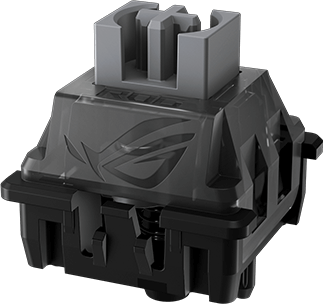
Rapid Trigger is implemented elegantly, with a physical toggle for instant activation. The 32g initial force is dangerously sensitive; expect to accidentally trigger ultimates in Diablo IV until your fingers learn to hover with the discipline of a surgeon.
However, “ergonomic” is a marketing stretch. True ergonomic boards offer vertical tenting to relieve forearm pronation; the Falcata is allowed only a minor tenting by way of the included rubber feet. The split design helps open the chest, but the included silicone wrist rests are slippery, forcing users to actively fight gravity to keep their hands in position. One reviewer noted that while they wrote their review on the device, an eight-hour workday would make their “wrists riot.” It occupies an awkward middle ground: too split for casual use, too flat for true ergonomic benefit.
The POM Monolith

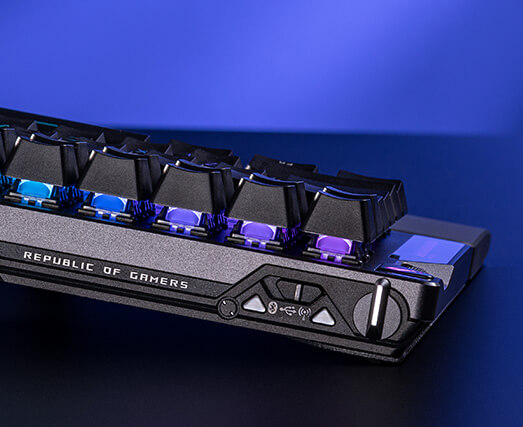
The aluminum-and-POM construction eliminates deck flex. PBT doubleshot keycaps resist shine. The magnetic connection between halves holds firmly—deliberate force is required to split the keyboard. Owners will demonstrate this to anyone within arm’s reach, pulling the halves apart with a pop they find far more impressive than their audience does.
The compromises are visible. The multifunction scroll wheel requires excessive force. Multiple reviewers describe it as “stiff,” “small,” and “imprecise.” The silicone wrist rests collect dust and develop tacky texture over time. Pristine in unboxing photos, progressively worse thereafter.
Most damning: the proprietary cable connecting the halves. Third-party USB-C cables do not function. Lose the included cable and you have an expensive paperweight. The Falcata enthusiast will defend this in forums, citing signal integrity or latency optimization. They will sound convincing because they have convinced themselves.
The SpeedNova 8K RF delivers 0.125ms latency in Zone Mode. Bluetooth configuration is unsupported. Battery life reaches 200 hours with RGB disabled, 100 hours at full brightness—though the kind of person who disables RGB is not the kind who purchases a ROG Falcata.
The Browser Redemption
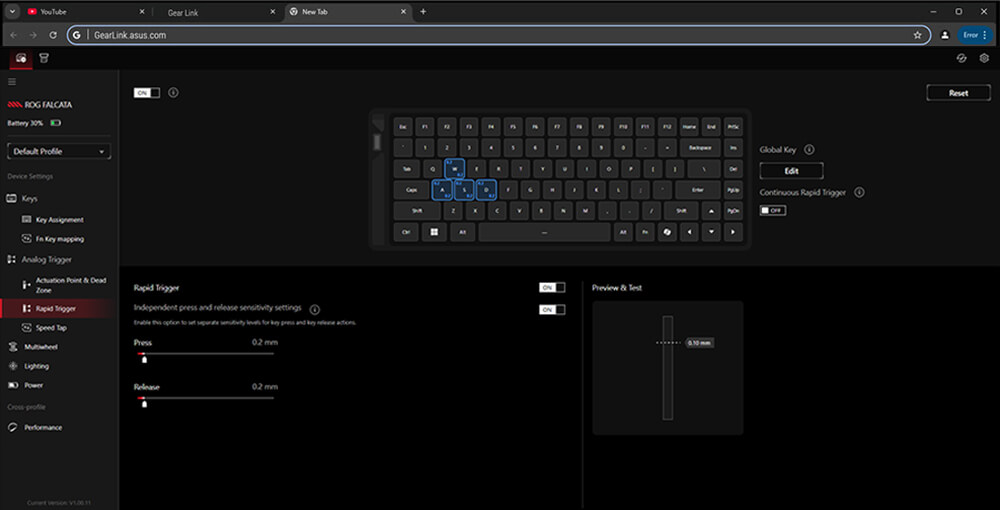
ASUS deserves praise here. Gear Link is a web application that replaces the bloated horror of Armoury Crate. Visit gearlink.asus.com, connect via USB or 2.4GHz dongle, access customization through your browser. No installation, no background processes, no mandatory updates.
The interface presents actuation points, Rapid Trigger sensitivity, RGB profiles, and key remapping clearly. Dynamic Keystroke settings—up to four actions based on press depth—use intuitive visual representations. Zone Mode concentrates 8K polling on gaming-critical keys while reducing others to 250Hz for battery conservation.
Macro support remains limited and some bugs suggest active development. Beta-level polish on a shipping product would warrant stronger criticism, but compared to Armoury Crate, Gear Link’s imperfections are easy to forgive.
The Skeptical Elite
r/ErgoMechKeyboards (Thread): Users familiar with true ergonomic layouts are skeptical of the Falcata’s value, noting that while the split design is welcome, it lacks the ortholinear layout or aggressive tenting required for serious ergonomic benefit.
r/keyboards (Thread): Discussion centers on the “World’s First” claims and the proprietary cable. Users confirm the switch feel is excellent but express frustration that a $420 “wireless” keyboard still requires a cable between the halves.
r/ASUSROG (Thread): Owners praise the build quality and Gear Link software but corroborate the learning curve issues. Several users mention the awkward thumb cluster placement compared to standard 75% layouts.
r/MacSources (Thread): A detailed review crosspost highlighting the premium feel and the absurdity of the price tag. The consensus here is that while it is a technical marvel, it is hard to justify for non-competitive use.
YouTube Reviews (Video Commentary): Early video impressions echo the sentiment on build quality (“biologically rigid”) but frequently point out the scroll wheel stiffness and the dust-magnet wrist rests as minor but annoying flaws at this price point.
Continue Your Judgment

Keychron K2 HE vs Q1 HE Review: Sibling Rivalry
Keychron K2 HE vs Q1 HE: A head-to-head review of Keychron's Hall Effect keyboards. We test the budget-friendly K2 HE against the premium aluminum Q1 HE.

Keychron K2 HE Review: The Wireless Participation Trophy
The Keychron K2 HE Hall Effect keyboard sounds better than anything else, but buggy software and phantom inputs keep it from the podium.

Wooting 80HE Review: The New Standard
Wooting 80HE Review. The sequel to the keyboard that changed everything. Now with arrow keys and better acoustics. Is this the competitive endgame?

Keychron Q1 HE Review: A Tank That Thinks It's a Ferrari
The Keychron Q1 HE is a $219 Hall Effect keyboard with incredible build quality but beta-test software. A flawed champion for those who hate plastic.