
Keychron B6 Pro Review: The Boring Budget King?
Keychron B6 Pro Review. A $40 wireless slab of plastic that mimics apple for generic brand prices. Competent, cheap, and utterly devoid of soul.
This page contains affiliate links. If you buy through them, Pretentious Reviews may earn a commission.
The Verdict
The Good
- Cheaper than your monthly coffee habit
- Web-based ZMK for the non-technical
- Sleekly mimics a lifestyle you can't afford
The Bad
- Ghosting behavior is a retro nightmare
- Plastic construction for the budget-conscious
- Stabilizers sound like a skeleton in a can
The Value Proposition (For Cheapskates)
Let’s be honest. You’re here because you’re cheap. You want the sleak, sexy, “I have my life together” look of a Mac setup or a high-end Logitech desk, but your bank account is screaming “Dollar Store.” The Keychron B6 Pro exists to scratch that itch. It is the generic brand cereal of keyboards. It tastes 90% the same, looks mostly the same, but leaves a weird film on the roof of your mouth that reminds you of your financial decisions.
Manufacturers like Logitech and Apple have been gouging us for years with $100+ membranes. Keychron looked at that and said, “We can do that for forty bucks if we make it out of melted-down LEGOs.” And they were right. This product solves the problem of “I need a keyboard that doesn’t look like a glowing alien spaceship but I refuse to pay three figures for it.”
The Plastic Purgatory
When you take this thing out of the box, the first thing you notice is the weight. Or the lack of it. It’s 1.3 pounds of pure ABS plastic. It doesn’t feel effectively “cheap” in a way that it will crumble, but it lacks that cold, reassuring density of metal. If you dropped an MX Keys S on your foot, you’d break a toe. If you drop the B6 Pro, it might just flutter to the ground like a leaf.
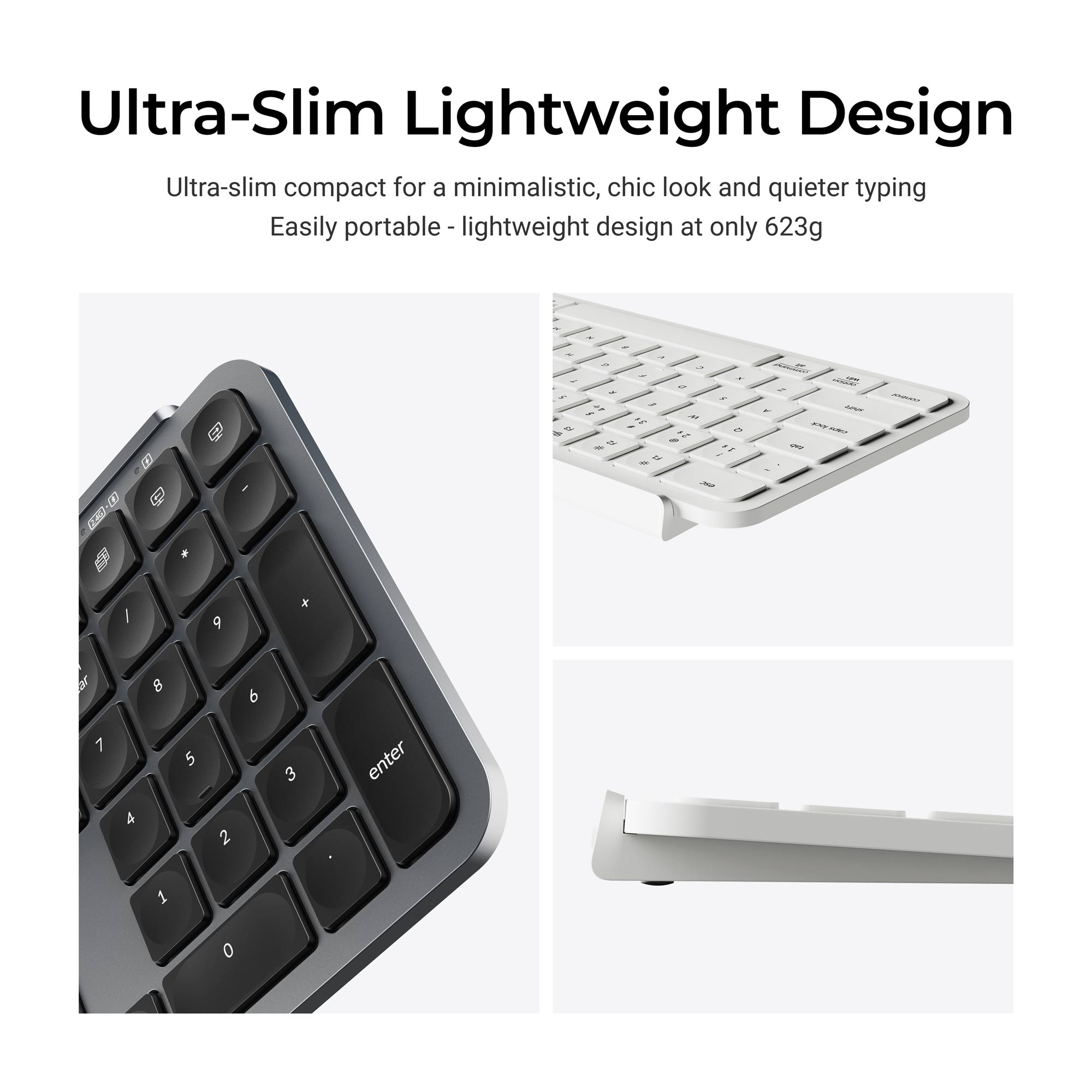
The “Space Gray” finish is trying so hard to look like anodized aluminum that it’s almost cute. It’s like a toddler wearing a suit. You want to pat it on the head and say, “Good job, buddy, you almost fooled them.” But touch it, and the illusion shatters. It’s warm, textured plastic. It’s the aesthetic equivalent of a clip-on tie.
Is the premium price worth it? The B6 Pro mimics the look, but the Logitech MX Keys S delivers the heavy, premium metal feel (and backlight) that this board lacks.
Read ReviewThe Speed Limit
Here is where the budget bites back. This keyboard has a speed limit. Literally. It’s called “ghosting,” and it’s a relic from the dark ages of computing that Keychron decided to bring back for a retro tour.
If you are a hunt-and-peck typist, or someone who thinks 40 words per minute is “blazing fast,” you will be fine. Go back to typing your novel about vampires. But if you are a sweaty gamer or a cracked-out coder who hammers keys like they owe you money, this board will betray you. Press too many keys at once—especially with modifiers like Shift—and some of them just… won’t happen. You’ll try to type “JUST” and get “JUT.” You’ll look like an idiot in Slack. “I jut sent the file.” Good job, Dave.
It’s a hardware limitation. Keychron saved fifty cents on diodes, and now you have to type like a grandma to ensure your letters actually appear.
The Daily Grind
Typing on this thing is… fine. It’s aggressively okay. It uses scissor switches, which are basically the same mechanism found in decent laptops. If you like typing on a MacBook, you will like this. It’s short, snappy, and quiet. It doesn’t clack; it whispers. It’s the kind of keyboard you can use in a library without getting stabbed by a librarian.
But the keys themselves? They’re chiclet-style flat squares with a tiny, almost microscopic concave dish. Keychron claims they’re dished to hug your fingertips, but it’s more like a polite suggestion of a curve. Your fingers will slide around. You will miss keys. You will miss the deep, loving embrace of the MX Keys’ fingertip bowls.
And the rattle. oh god, the rattle. The stabilizer bars on the longer keys (Space, Shift, Enter) sound like a skeleton masturbating in a tin can. It’s not loud, but it’s cheap. Every time you hit the spacebar, there’s a loose, shaky vibration that reminds you, “You saved $60! You saved $60!”
Miss the mechanical feel? If the flat keys feel too cheap, the Keychron K17 Pro offers a similar layout with hot-swappable mechanical switches.
Read ReviewThe Darkness
There is no backlight. None. Nada. Zilch. Keychron spins this as a feature: “Up to 1200 hours of battery life!” Yeah, no kidding. My car would get great gas mileage too if I never turned the engine on.
If you work in a dimly lit cave like most of you gremlins, you’re out of luck. You need to verify your hand placement by the glow of your monitor. For a “Pro” productivity keyboard in 2024, omitting even a white backlight feels petty. It’s like buying a car with manual windows. Sure, it works, but are we not civilized?
The Nerd Redemption (Software)
Here is the one part where I have to grudgingly admit Keychron dunked on Logitech. The software. Logitech makes you install “Options+,” a bloated piece of spyware that wants to run 14 background processes and update itself every time you sneeze. Keychron? They use ZMK.
You go to a website. You connect your keyboard. You drag and drop keys to remap them. You close the website. The changes are saved on the keyboard. You can plug it into a different computer, a Linux server, or a potato, and your macros still work. no install. No account. No “Please sign in with Google.” It is beautiful. It is how all hardware should work. If you are a Linux user or just hate bloatware (which you should), this feature alone might be worth the $45.
> Specs
- Dimensions 429 x 130 x 14.5 mm
- Weight 623 g (1.37 lbs)
- Battery Life Up to 1200 hours
- Connectivity BT 5.2 (3), 2.4GHz (1), Wired
- Polling Rate 1000Hz (2.4G/Wired)
- Switch Type Scissor Mechanism
- Materials ABS Plastic
Community Consensus
The internet has spoken, and as usual, it’s a mix of fanboy drool and genuine rage.
r/keyboards users are basically holding a parade for the value proposition (Thread). They think getting web-based customizability and tri-mode connectivity on a sub-$50 board is the second coming. And for once, they aren’t wrong. Beating Logitech on software for half the price makes people feel smart.
But over on r/keyboards, the mood is darker (Thread). The speed demons have found the ghosting limit, and they are not happy. Stories of missed shifts and eating letters are common. If you type at 120 WPM, this board is actively sabotaging you.
There are also reports of quality control roulette with the Shift keys (Thread). Some units arrive with crunchy, sticky stabilizers that feel like they were lubricated with sand. It’s a reminder that at this price, you aren’t paying for a guy named distinct Hans to inspect every unit with a magnifying glass.
YouTube is split. Cameron Dougherty calls it the “MX Keys Killer,” mostly because he loves money more than perfection. Technopatosh correctly identifies it as an “Office Only” tool—try to game on this and you deserve every loss you get.
The Bottom Line: The community agrees it’s a steal for the price, but warns you: don’t look too close, and for god’s sake, don’t type too fast.
Continue Your Judgment

Logitech MX Keys S Review: The Office Standard
Logitech MX Keys S Review. The default keyboard for anyone with a job. Heavy, premium, and boringly perfect. If you use Excel, you probably own this.

Keychron K17 Pro Review: The DIY Kit
Great 96% layout and QMK support ruined by poor stabilizers. Is the Keychron K17 Pro worth the DIY fix?

Keychron K5 Pro Review: Wired Spreadsheet Master
The Keychron K5 Pro is a glorious 100% mechanical keyboard that’s tragically held back by 2015-era Bluetooth. Great for wires, bad for freedom.

Keychron K2 HE Review: The Wireless Participation Trophy
The Keychron K2 HE Hall Effect keyboard sounds better than anything else, but buggy software and phantom inputs keep it from the podium.